
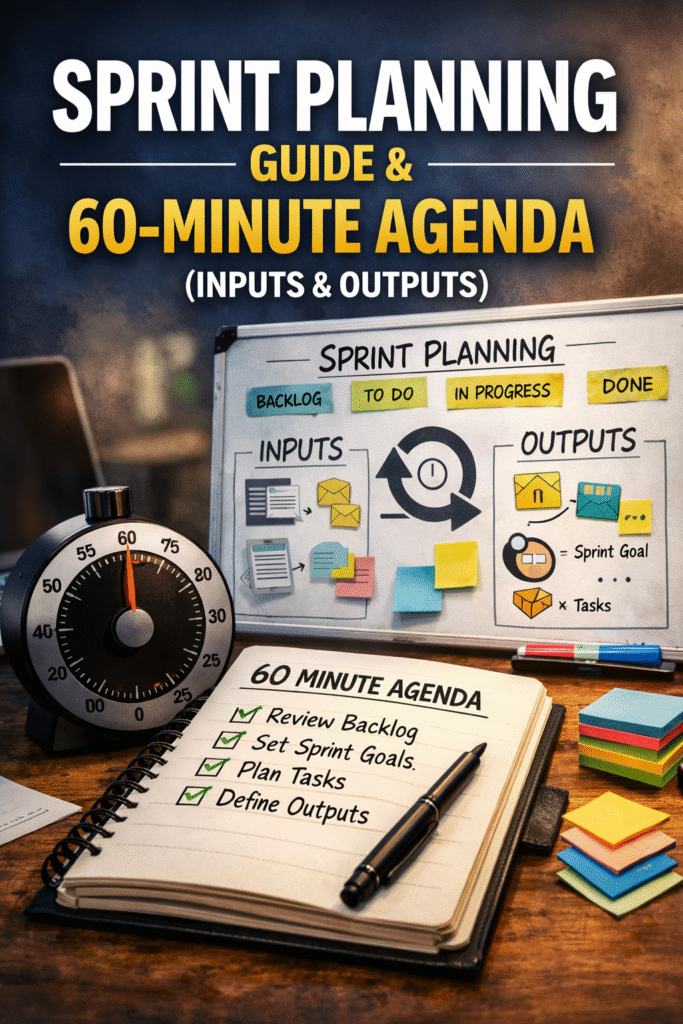
Sprint Planning: Inputs, Outputs, and a 60-Minute Agenda That Works
Sprint Planning is where teams either set themselves up for a focused sprint-or inherit confusion for the next 1–2 weeks.
This guide gives you a practical, vendor-neutral checklist and a simple 60-minute agenda you can reuse. It is designed for real delivery teams and avoids “fake precision.”
Who this is for: Scrum Masters, Product Owners, Developers, QA
Use this when: your planning meetings run long, sprint goals are weak, or you see frequent carryover
Examples are illustrative and do not represent complete project solutions.
Why Sprint Planning fails in real teams
4–6 bullets on common causes:
backlog not refined → planning becomes refinement
goal missing → scope fights mid-sprint
capacity ignored → spillover
dependencies discovered late
DoD not considered → “dev done” carryover
The 3 outcomes Sprint Planning must produce (no exceptions)
A good Sprint Planning produces:
- A Sprint Goal everyone can repeat clearly
- A forecast of work that supports the goal (not a promise)
- A clear “how” plan (who is taking what, and what “done” means)
If any of these three are missing, your sprint is at risk-regardless of what tool you use.
Sprint Planning inputs checklist (before the meeting)
Use this quick checklist 24 hours before planning.
A) Backlog readiness & Definition of Ready (PO & Team)
- The top items are ordered (at least 1.5× the expected sprint capacity)
- Each candidate item has a clear description (not just a title)
- Acceptance criteria exists for each item (even if simple)
- Dependencies are visible (blocked items are flagged early)
- Risks/unknowns are noted (so the team can decide what to do)
Definition of Ready (DoR) — Minimum Gate (check every item before pulling into the sprint)
Before you add any backlog item to the sprint, run this 10–30 second check.
An item is “Ready” only if all points below are true:
- Goal-aligned: It clearly supports the Sprint Goal (or a near-term product outcome).
- Understandable: The team can explain what “done” looks like in one sentence.
- Testable: There is at least a minimal acceptance condition (2–5 bullets or simple Given/When/Then).
- Sized: Small enough to finish within the sprint (or explicitly defined as a timeboxed spike).
- Unblocked: No critical dependency is missing; if a dependency exists, there is an owner and a plan/date.
If the item fails DoR, do not pull it into the sprint “as-is.” Choose one:
- Slice it into a smaller, testable piece that still supports the Sprint Goal
- Timebox discovery (spike) to remove unknowns, with a clear output (findings & next steps)
- Push it down the backlog until it becomes Ready.
Worked example (DoR in 30 seconds)
Example backlog item + acceptance criteria
Show how it passes/fails each DoR point
End with: “Decision: slice / spike / defer”
1. B) Team capacity readiness (SM & Team)
- Sprint duration and start/end dates are confirmed
- Known absences are captured (leave, public holidays, on-call)
- Planned non-feature work is visible (support, bug triage, meetings)
- The team agrees on the capacity approach (hours or points-be consistent)
C) Definition of Done (DoD) — The Quality Gate (use during Sprint Planning)
The Definition of Done is the team’s shared agreement for what “complete” means. During Sprint Planning, DoD prevents you from pulling work that looks finishable but is not actually shippable.
DoD Minimum Checklist (team-wide)
A backlog item can be considered “Done” only when:
- Built: implementation completed and meets the acceptance criteria
- Reviewed: peer review completed (as applicable)
- Tested: required tests completed (unit/integration/manual as applicable)
- No critical bugs: critical defects resolved or explicitly agreed handling
- Non-functional checks: performance/security checks where relevant (lightweight but intentional)
- Documentation updated: user-facing or operational notes updated where needed
- Integrated: merged/integrated into the main code line / system (as applicable)
- Demo-ready: can be demonstrated in Sprint Review without “special setup”
- Released or release-ready: either deployed or clearly ready for deployment per your release process
How to use DoD in Sprint Planning
When selecting items for the sprint, ask:
“Can we realistically complete this item to DoD within the sprint, given our capacity and dependencies?”
If the answer is “maybe,” treat it as a DoR/DoD risk and do one of the following:
- Slice the work into a smaller piece that can reach DoD
- Add a timeboxed spike to remove uncertainty
- Defer it until it can be completed to DoD
Common DoD failure patterns (quick fixes)
- “Dev done” but not tested → Add explicit testing to DoD or slice items smaller
- “Done” but not integrated → Add integration/merge to DoD
- “Done” but cannot be demoed → Add “demo-ready” as a DoD point
D) Tool/readiness basics (vendor-neutral)
- Work items are accessible in your backlog tool (no permission issues)
- The board/workflow states are agreed (to avoid “Done vs Done-Done” confusion)
If you cannot meet all inputs, you can still plan-but you must plan smaller and build in discovery time.
Definition of Ready vs Definition of Done (one-line clarity)
- DoR helps you decide whether an item is safe to start.
- DoD defines what it means to be complete with quality.
Use DoR to protect sprint start-up quality; use DoD to protect delivery quality.
The 60-minute Sprint Planning agenda
This agenda is intentionally lightweight. It works for many teams when refinement exists and backlog items are reasonably shaped.
0–10 minutes: Align on the Sprint Goal (PO leads, team contributes)
- PO explains the top priority and the “why”
- Team proposes a Sprint Goal as one sentence:
- “Deliver X capability so users can Y outcome”
- Confirm the goal is meaningful (not “Complete stories”)
Sprint Goal quick test
- Can we measure progress toward it daily?
- Does it describe an outcome (not a to-do list)?
- If we only complete part of the work, will the goal still hold?
10–25 minutes: Capacity snapshot (Facilitated by Scrum Master)
- Confirm:
- absences
- planned support work
- any fixed commitments
- Decide on a “planning capacity” for this sprint:
- If using story points: use recent velocity as a reference (not a target)
- If using hours: treat it as a limit, not a productivity promise
Simple capacity example
5-person team, 10 days
subtract leave + ceremonies + support
show “stop at 80–90%”
25–45 minutes: Select work that supports the goal (team & PO)
- Pull the smallest set of items that directly support the Sprint Goal first
- For each item, confirm:
- acceptance criteria exists
- main dependency/risk is known
- it can be completed within the sprint
- Stop adding work at ~80–90% of capacity to leave room for uncertainty (bugs, review time, support work, integration, and DoD activities). Only plan closer to 100% if your work is highly predictable and your team has stable historical delivery.
If you want one simple rule (beginner-friendly)
- Keep 10–20% buffer each sprint.
45–60 minutes: “How” plan & risk check (team)
- Break down only what you need to start confidently
- Confirm:
- who starts what
- what “Done” means
- the top 1–2 risks and mitigations
End the meeting with:
- Sprint Goal stated again
- A clear first move for Day 1
- Request to sprint team members to create their tasks on work items.
If priorities change mid-sprint (what to do)
4 bullets:
re-check Sprint Goal
trade scope (remove equal work)
don’t “add on top”
capture reason in retro
A practical sizing rule (to avoid sprint spillover)
If a work item is so big that:
- nobody can explain its completion path in 60 seconds, or
- it requires multiple handoffs and unknowns,
it is a slicing candidate. Plan one slice that still contributes to the Sprint Goal.
Common Sprint Planning anti-patterns (and the fix)
Anti-pattern 1: “We plan everything, then we pick a goal”
Fix: Goal first. Always. Work second.
Anti-pattern 2: “We commit to capacity as if it is certainty”
Fix: Capacity is a planning limit. Leave slack for uncertainty.
Anti-pattern 3: “Acceptance criteria gets written after the sprint starts”
Fix: Minimum acceptance criteria before pulling the item.
Anti-pattern 4: “Too much breakdown, too early”
Fix: Break down only what you need to start confidently; refine further during the sprint.
Anti-pattern 5: “Backlog is not ready, so planning becomes refinement”
Anti-pattern 6: “We pull large items and hope” → Fix: slice to a testable outcome
Anti-pattern 7: “We ignore dependencies” → Fix: name owner + date, otherwise don’t pull
Fix: Plan smaller and reserve time for refinement immediately after.
A “minimum viable” Sprint Planning output checklist (end of meeting)
You can end Sprint Planning only when:
- Sprint Goal is written and agreed
- Sprint backlog items are selected and ordered
- Each selected item has acceptance criteria (at least minimal)
- The team agrees on how to start Day 1
- Top risks/dependencies are visible
If one of these is missing, capture it as a planning action item immediately (same day).
FAQs
How long should Sprint Planning be?
It depends on sprint length and complexity. Many teams timebox Sprint Planning to a maximum of 8 hours for a 1-month sprint, scaled down for shorter sprints (e.g., ~4 hours for a 2-week sprint). In practice, many healthy teams run effective planning in 60–120 minutes when refinement is working.
Do we need to estimate everything in Sprint Planning?
No. You need enough confidence to forecast. If too much is unknown, select smaller slices and create a short discovery spike with clear time limits.
Should we use story points or hours?
Either can work if used consistently. Story points are generally better for handling uncertainty and complexity; hours are better for explicit time constraints. The bigger risk is mixing methods mid-sprint.
Next steps (recommended reading)
Sprint Goal Examples (Good vs Weak) + a Simple Quality Test
- Acceptance Criteria Patterns (Given/When/Then + alternatives)
- Definition of Done Checklist that Prevents Rework
Reviewed by: Agilivance Editorial Team