
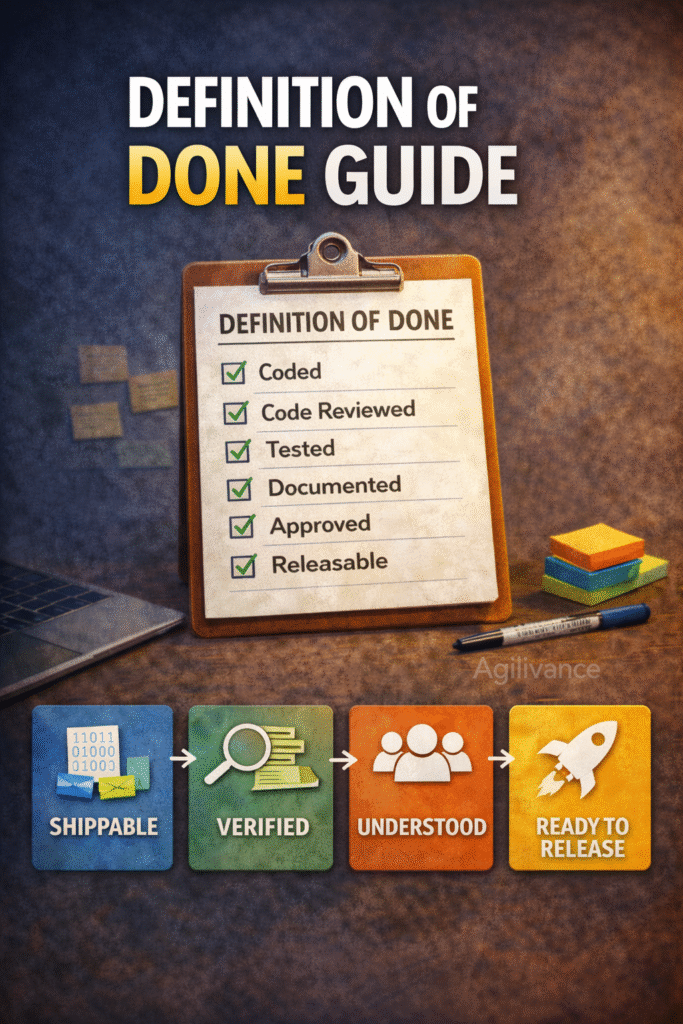
A Practical Definition Of Done(DoD) That Prevents Rework
Most sprint spillover is not caused by bad estimates. It is caused by “Done” meaning different things to different people. A good Definition of Done (DoD) prevents hidden work, reduces rework, and makes Sprint Reviews credible.
This post gives you a practical DoD checklist you can adapt without turning it into a heavyweight process.
Who this is for: Scrum Masters, Developers, QA, Product Owners
Use this when: items keep bouncing back, testing happens late, or “done-done” debates are frequent
Examples are illustrative and do not represent complete project solutions.
What DoD is?
Definition of Done = the team’s shared quality gate for completion.
It answers:
“What must be true before we can say this work is complete and usable?”
DoD is not a “QA checklist only.” It includes build, review, testing, integration, and readiness for demo/release.
The DoD rule that eliminates confusion
If it is not in DoD, it is optional.
And if it is optional, it will be skipped when the sprint is under pressure.
So keep DoD realistic, but explicit.
A practical DoD checklist (minimum viable)
Use this as your baseline. Add or remove items based on context.
Definition of Done (DoD) — Minimum Checklist
A backlog item is “Done” only when:
1) Functional completion
- Acceptance criteria met (observable outcomes satisfied)
- Edge cases/validation handled (at least minimally)
2) Quality checks
- Peer review completed (or pair-reviewed if that’s your practice)
- Required tests completed (unit/integration/manual as applicable)
- No critical defects remain (or explicitly agreed handling with owner/date)
3) Integration & stability
- Changes are integrated/merged (as applicable)
- No new critical errors introduced in standard flows
4) Documentation & operability (lightweight)
- User-facing or operational notes updated when needed
- Any configuration/feature flags handled safely (if applicable)
5) Demo & release readiness
- Item is demo-ready for Sprint Review (no special setup required)
- Item is release-ready per your release process (or deployed if that is your norm)
This baseline is intentionally “minimum viable”-strong enough to prevent common rework without becoming bureaucracy.
DoD “levels” (how to keep it practical)
If your team works on mixed-risk items, use DoD levels:
DoD Level 1 (default)
Use the minimum checklist above.
DoD Level 2 (higher risk items)
Add:
- Security checks relevant to the change
- Performance check (lightweight) where needed
- Monitoring/logging updated if applicable
DoD Level 3 (release-critical)
Add:
- Release notes completed (if required)
- Rollback plan understood
- Stakeholder sign-off criteria met (if required)
This keeps the default lean while still supporting higher-risk work.
How to apply DoD during Sprint Planning
When selecting items, ask:
“Can we finish this item to DoD within the sprint?”
If “maybe,” then do one of these:
- Slice the item into a smaller piece that can reach DoD
- Add a timeboxed spike to remove unknowns
- Defer the item until it becomes doable to DoD
This is how DoD prevents sprint spillover.
DoD vs Acceptance Criteria (common confusion)
- Acceptance Criteria = what the item must do (behavior/outcomes)
- DoD = the quality/completeness gate (review/test/integration/demo readiness)
You need both:
- AC prevents “wrong outcome”
- DoD prevents “unfinished quality”
Common DoD anti-patterns (and fixes)
Anti-pattern 1: “Dev done” is treated as done
Fix: make testing + integration part of DoD, not a separate phase.
Anti-pattern 2: DoD is too strict, so people ignore it
Fix: use DoD levels. Keep Level 1 realistic.
Anti-pattern 3: DoD changes every sprint
Fix: change DoD intentionally, with reasons, and keep it stable.
Anti-pattern 4: DoD is not visible
Fix: put DoD in the team workspace and reference it in Sprint Planning and Review.
Quick “DoD implementation” plan
If you want to roll it out without conflict:
- Start with Level 1 (minimum)
- Run it for 2 sprints
- In retro, ask: “What DoD step created delays?” and “Which missing step caused rework?”
- Adjust once, then stabilize it
FAQs
Should DoD be the same for every team?
Use a shared minimum for consistency, then allow team/product additions.
Does DoD include documentation?
Yes, but only what is necessary for safe use/support. Keep it lightweight.
Can we have different DoD for bugs vs features?
Yes. But keep the minimum quality gate consistent (testing, integration, demo readiness).
Next steps (internal links)
Recommended reading: