
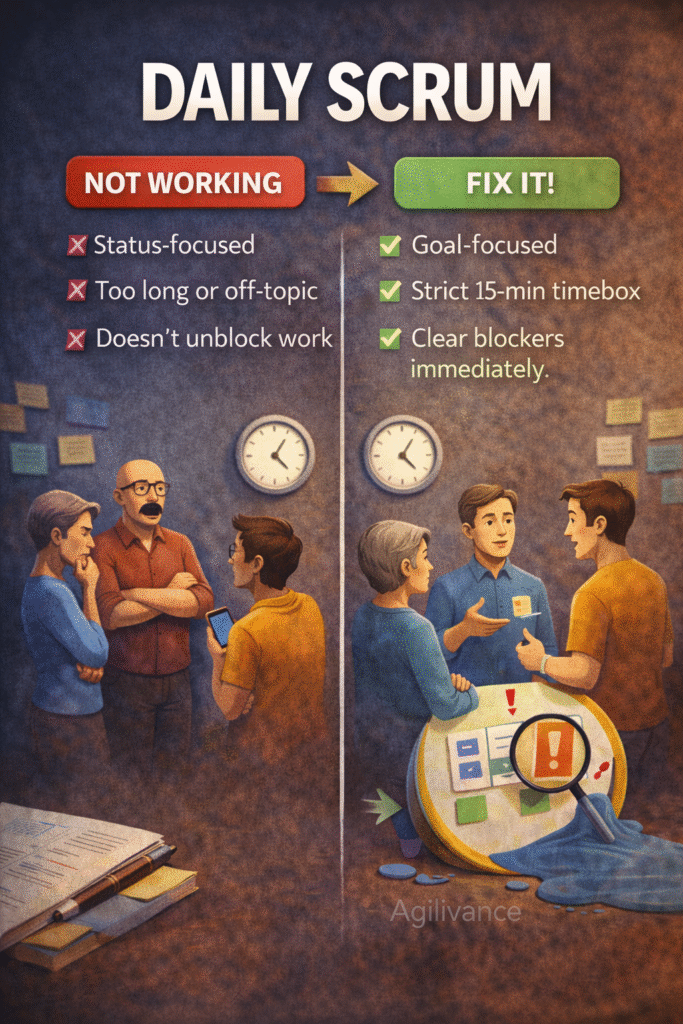
Fix It in 15 Minutes (A Practical Facilitation Playbook)
When the Daily Scrum fails, teams lose visibility, blockers stay hidden, and work drifts. The Daily Scrum is not a status meeting for the Scrum Master. It is a short planning event for the Developers to coordinate the next 24 hours.
This playbook shows how to reset a weak Daily Scrum in one session.
Who this is for: Scrum Masters, Developers, QA, Delivery Leads
Use this when: daily standup runs long, feels like reporting, or blockers repeat
Examples are illustrative and do not represent complete project solutions.
The goal of the Daily Scrum
A good Daily Scrum produces three outcomes:
- A shared plan for the next 24 hours
- Visible blockers with owners
- Reduced work-in-progress (finish-first)
If your standup does not produce these outcomes, it is not working.
Fast diagnostic: 5 signs your Daily Scrum is broken
If you see 2(or more) of these, reset it:
- It regularly exceeds 15 minutes
- People report to the Scrum Master instead of collaborating
- The same blockers repeat for days
- Work starts but doesn’t finish (high WIP)
- The Sprint Goal is not mentioned for days at a time
The 15-minute reset plan
You can run this reset without changing tools.
Step 1: Set the ground rule
Say this:
“This is not a status meeting. It’s a 15-minute planning sync for the team. We will align on the next 24 hours to move the Sprint Goal forward.”
Step 2: Put the Sprint Goal on screen
Ask one person to read the Sprint Goal aloud.
If there is no clear goal, use a simple temporary phrasing:
“Our sprint focus today is: deliver the next smallest outcome toward X.”
(Then fix the goal in planning next time.)
Step 3: Run it by the board, not by people
This is the single biggest fix.
Instead of going person-by-person, go work-item-by-work-item in this order:
- Items closest to Done
- Items in progress
- New items (only if capacity exists)
For each work item, ask only:
- “What is the next step today?”
- “Who is working on it?”
- “What is blocking it (if anything)?”
Step 4: Reduce WIP (finish-first)
Say:
“Before starting anything new, can we finish one in-progress item today?”
If WIP is high, agree a simple rule:
- “Max 1–2 items in progress per person” (adjust to your context)
Step 5: Capture blockers with owners
For each blocker, capture:
- Blocker description (one line)
- Owner (who will resolve / escalate)
- Next action (today)
- Expected update time (today)
No owner = not a blocker; it is a complaint.
The “anti-status” question set (use daily)
To avoid turning into reporting, use these questions:
- “What will we finish today?”
- “What is at risk against the Sprint Goal?”
- “What do we need from each other today?”
- “Which item should we swarm on?”
Avoid:
- “What did you do yesterday?” (can be useful, but often causes reporting behaviour)
Common Daily Scrum failure patterns (and fixes)
Failure 1: People give long explanations
Fix: park details. Use a “follow-up list” after the 15 minutes.
Failure 2: Blockers are mentioned but not resolved
Fix: assign an owner and a next action immediately.
Failure 3: Too many topics unrelated to the sprint
Fix: ask: “Does this impact the Sprint Goal today?” If not, park it.
Failure 4: Remote teams struggle to coordinate
Fix: use async updates first, then a 10-minute live sync focused on blockers and finish-first.
A simple Daily Scrum format you can keep (repeatable)
1) Sprint Goal reminder
2) Board walk– focus on finishing
3) Blockers & owners
4) Confirm today’s plan
If you keep this structure, standups stay short and useful.
FAQs
Is the Scrum Master required at the Daily Scrum?
The Daily Scrum is for Developers. The Scrum Master can attend to help establish the practice, but should avoid becoming the “manager” of the meeting.
What if stakeholders demand a daily status?
Do not convert Daily Scrum into stakeholder status. Provide a separate, lightweight async status update if needed.
Should the team update tasks during the meeting?
If it doesn’t slow the meeting, yes. If it slows the meeting, capture updates right after.
Next steps (internal links)
Recommended reading: